Exit-Intent Popups: Best Practices That Convert Without Annoying Visitors
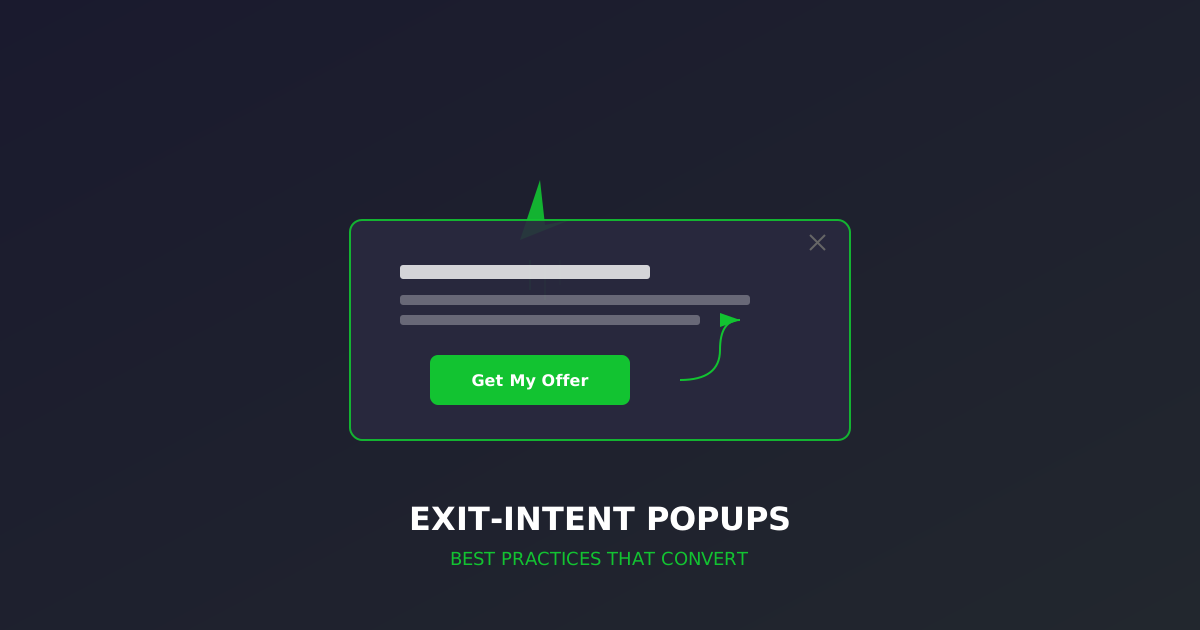
A visitor is about to leave your site. Their cursor drifts toward the browser tab. In that split second, you have one last chance to capture their attention—and potentially their business.
That’s the promise of exit-intent popups. And when executed well, they’re one of the highest-ROI conversion tools available. When executed poorly, they’re the digital equivalent of a desperate salesperson chasing you out of the store.
Let’s get them right.
How Exit-Intent Technology Works
Exit-intent popups use JavaScript to track mouse movement patterns. When the cursor moves rapidly toward the top of the browser window—indicating the user is about to close the tab, click the back button, or navigate away—the popup triggers.
On mobile, the technology adapts to different signals:
- Scroll velocity: Rapid upward scrolling suggests disengagement
- Back button behavior: Intercepting the browser back action
- Inactivity timers: Extended idle time followed by interaction
- Tab switching: Detecting when users switch to another app
The key distinction from standard popups: exit-intent only fires when someone is already leaving. You’re not interrupting their experience—you’re making a last attempt to provide value before they’re gone.
The Numbers Behind Exit-Intent
The data consistently supports smart exit-intent implementation:
- 10-15% recovery rate on abandoning visitors (OptinMonster aggregate data)
- Up to 53% reduction in cart abandonment when paired with targeted offers
- 2-4x higher conversion than timed or scroll-triggered popups
- 316% more effective than sidebar opt-in forms for email capture
These numbers come with a critical caveat: they assume good implementation. A generic “Wait! Don’t go!” popup with no real value proposition will annoy visitors and potentially damage brand perception.
Best Practices That Actually Work
1. Match the Offer to the Page Context
The biggest mistake with exit-intent popups is showing the same generic offer everywhere. Your popup should reflect what the visitor was doing.
Product pages: Offer a discount, free shipping, or price-match guarantee Blog posts: Offer a content upgrade—a PDF, checklist, or deeper resource related to the topic Pricing pages: Address objections—offer a demo, free trial extension, or consultation Cart pages: Remind them what they’re leaving behind and sweeten the deal
A visitor reading about CRO audits should see a popup offering a free mini-audit or CRO checklist—not a generic newsletter signup.
2. Lead With Value, Not Desperation
Bad: “Wait! Don’t leave!” Better: “Before you go—grab our free CRO checklist” Best: “Your site might be losing $47K/year in revenue. Get a free analysis.”
The popup should make visitors feel like they’re gaining something, not like they’ve been caught trying to escape. Frame the offer around their problem, not your need for their email.
3. Keep the Design Clean and Focused
Exit-intent popups work best when they:
- Have one clear CTA—not three options competing for attention
- Use contrasting colors that stand out from the page without clashing
- Include a clear close button—making it hard to dismiss creates resentment
- Feature minimal form fields—email only, or email plus first name at most
- Load instantly—any animation delay and the visitor is already gone
4. Use Social Proof in the Popup
Adding social proof to your exit-intent popup can increase conversions by 15-20%:
- “Join 12,847 marketers who get our weekly CRO tips”
- “Rated 4.9/5 by 500+ customers”
- A brief testimonial quote with a real name and photo
Social proof addresses the implicit question: “Is this worth my time?“
5. Implement Frequency Capping
Nothing kills user experience faster than seeing the same popup every single visit. Set rules:
- Show once per session at most
- Suppress for 7-30 days after dismissal
- Never show again after conversion
- Respect cookie preferences—if a user has opted out of non-essential cookies, don’t fire the popup
6. A/B Test Everything
The difference between a 2% and 12% conversion rate on your exit popup often comes down to small details:
- Headlines: Test problem-focused vs. benefit-focused copy
- Offers: 10% discount vs. free shipping vs. bonus item
- Imagery: Product photos vs. lifestyle images vs. no image
- CTA button text: “Get My Discount” vs. “Save 10% Now” vs. “Yes, I Want This”
- Timing sensitivity: Immediate trigger vs. 1-second delay after intent detection
7. Make Mobile Exit-Intent Respectful
Mobile exit-intent is trickier because:
- Google penalizes intrusive interstitials on mobile
- Screen space is limited
- False triggers are more common
For mobile, consider:
- Bottom slide-ups instead of full-screen overlays
- Smaller, dismissible banners that don’t cover content
- Timing delays to avoid triggering on accidental scroll gestures
- Page-specific triggers only on high-value pages
Exit-Intent for E-Commerce: Cart Recovery
Cart abandonment averages 70% across industries. Exit-intent popups on cart and checkout pages are among the most valuable placements.
Effective Cart Recovery Strategies
Urgency: “Your cart is reserved for 15 minutes” (only use if true) Discount: “Complete your order now and save 10%” Free shipping: “Add $12 more for free shipping” (with progress bar) Reminder: Show cart contents as thumbnail images with a “Complete Purchase” button Save for later: “Email your cart to yourself” (captures email even without purchase)
What to Avoid
- Discounting too aggressively: If visitors learn they’ll always get a discount by pretending to leave, you’ve trained them to abandon
- Fake urgency: “Only 2 left!” when you have 2,000 erodes trust
- Multiple exit popups: One attempt. That’s it. If they close it, let them go
Exit-Intent for Lead Generation
For service businesses and B2B companies, exit-intent popups serve a different purpose: capturing leads who aren’t ready to buy yet.
High-Converting Lead Gen Popup Formats
Content upgrade: “Download the complete guide to [topic they were reading about]” Free tool access: “Try our free [calculator/audit/assessment]” Webinar/event: “Join our live workshop on [relevant topic] this Thursday” Case study: “See how [similar company] achieved [specific result]”
The key insight: match the commitment level to where they are in the funnel. A visitor reading a blog post isn’t ready for a sales call—but they might download a related resource.
Measuring Exit-Intent Popup Performance
Track these metrics to optimize your popups:
Primary Metrics
- Popup conversion rate: Submissions ÷ popup views (aim for 5-10%)
- Recovery rate: Orders completed after popup ÷ total exit intents triggered
- Revenue recovered: Direct revenue attributable to popup interactions
Secondary Metrics
- Bounce rate impact: Monitor whether popups increase or decrease overall bounce rates
- Time on site: Do popup interactions correlate with longer sessions?
- Downstream conversion: Do email captures from popups eventually convert to customers?
- Dismissal rate: High dismissal with low conversion means the offer needs work
Red Flags
- Conversion rate below 2%: Your offer isn’t compelling enough
- Bounce rate increase: The popup is annoying people into leaving faster
- High complaint rate: Users mentioning popups in feedback or support tickets
- SEO impact: Check Core Web Vitals—poorly coded popups can affect CLS scores
Advanced Exit-Intent Strategies
Segmented Popups Based on Behavior
Use visitor behavior data to personalize the exit-intent offer:
- New vs. returning visitors: New visitors get an intro offer; returning visitors get a deeper engagement prompt
- Traffic source: Visitors from paid ads see offers aligned with the ad message; organic visitors see content offers
- Pages viewed: Someone who viewed 5+ pages gets a “ready to talk?” prompt; someone who bounced from the homepage gets a value proposition reinforcement
- Session duration: Quick bouncers get curiosity-driven offers; engaged visitors get conversion-focused offers
Two-Step Popups
Instead of asking for an email immediately, start with a yes/no question:
Step 1: “Want to see how your site compares to top performers?” [Yes / No thanks] Step 2 (after “Yes”): “Enter your email and we’ll send your free benchmark report”
This micro-commitment technique can increase conversions by 30-40% compared to showing the form immediately.
Gamified Exit Popups
Spin-the-wheel and scratch-card popups can convert at 2-3x the rate of standard forms. They work because they tap into curiosity and the thrill of winning something.
Use these selectively:
- Best for e-commerce and consumer brands
- Less appropriate for B2B or premium services
- Ensure every outcome provides real value (no “better luck next time”)
Common Mistakes to Avoid
- Showing popups to everyone: Exclude logged-in customers, recent converters, and visitors who arrived from email campaigns
- Ignoring page load impact: Heavy popup scripts affect Core Web Vitals. Use lightweight, async-loaded solutions
- No mobile optimization: Desktop popups on mobile screens are a conversion killer and SEO penalty risk
- Generic copy: “Subscribe to our newsletter” converts at 1-2%. Specific value propositions convert at 5-10%+
- Missing analytics: If you can’t measure it, you can’t improve it. Tag all popup interactions in your analytics platform
- Forgetting accessibility: Ensure popups are keyboard-navigable, screen-reader friendly, and have proper focus management
Getting Started
If you’re not using exit-intent popups yet, start simple:
- Pick your highest-traffic exit page (usually homepage or top product/service page)
- Create one compelling offer relevant to that page’s visitors
- Design a clean, single-CTA popup with easy dismissal
- Set frequency capping (once per session, suppress for 14 days after dismissal)
- Measure for 2-4 weeks before optimizing
- A/B test one element at a time based on results
Exit-intent popups aren’t magic. They’re a well-timed value proposition delivered at the moment of highest intent to leave. Get the value right, respect the visitor’s experience, and the conversions follow.
Want to know which pages on your site have the highest exit rates—and what to do about them? Request an audit and we’ll identify your biggest opportunities for visitor recovery.
Related Articles
Site Search Optimization: Turn Your Search Bar Into a Conversion Engine
Visitors who use site search convert 2-3x more than those who browse. Learn how to optimize your on-site search to capture that high-intent traffic and drive more revenue.
How to Prioritize CRO Tests: ICE, PIE, and PXL Frameworks Compared
Stop guessing which tests to run first. Learn three proven prioritization frameworks — ICE, PIE, and PXL — to focus your CRO efforts where they'll have the biggest impact.
Pricing Page Optimization: 12 Tactics That Actually Move the Needle
Your pricing page is the highest-intent page on your site — and probably the most under-optimized. Here are 12 proven tactics to turn comparison shoppers into customers.
Ready to optimize your conversions?
Get personalized, data-driven recommendations for your website.
Request Your Audit — $2,500